itqan-learning-platform
Itqan — Online Learning Platform

A bilingual (Arabic / English) learning platform for secondary-school students: lessons organised by subject and unit, timed exams graded on the server, and a personal dashboard that tracks progress.
Built with ASP.NET Core 10 (REST API, JWT, EF Core + SQLite) and a vanilla HTML / CSS / JavaScript front end — no framework, no build step.
Features
For students
- Register and log in (JWT, hashed passwords); protected pages redirect to login when the session expires
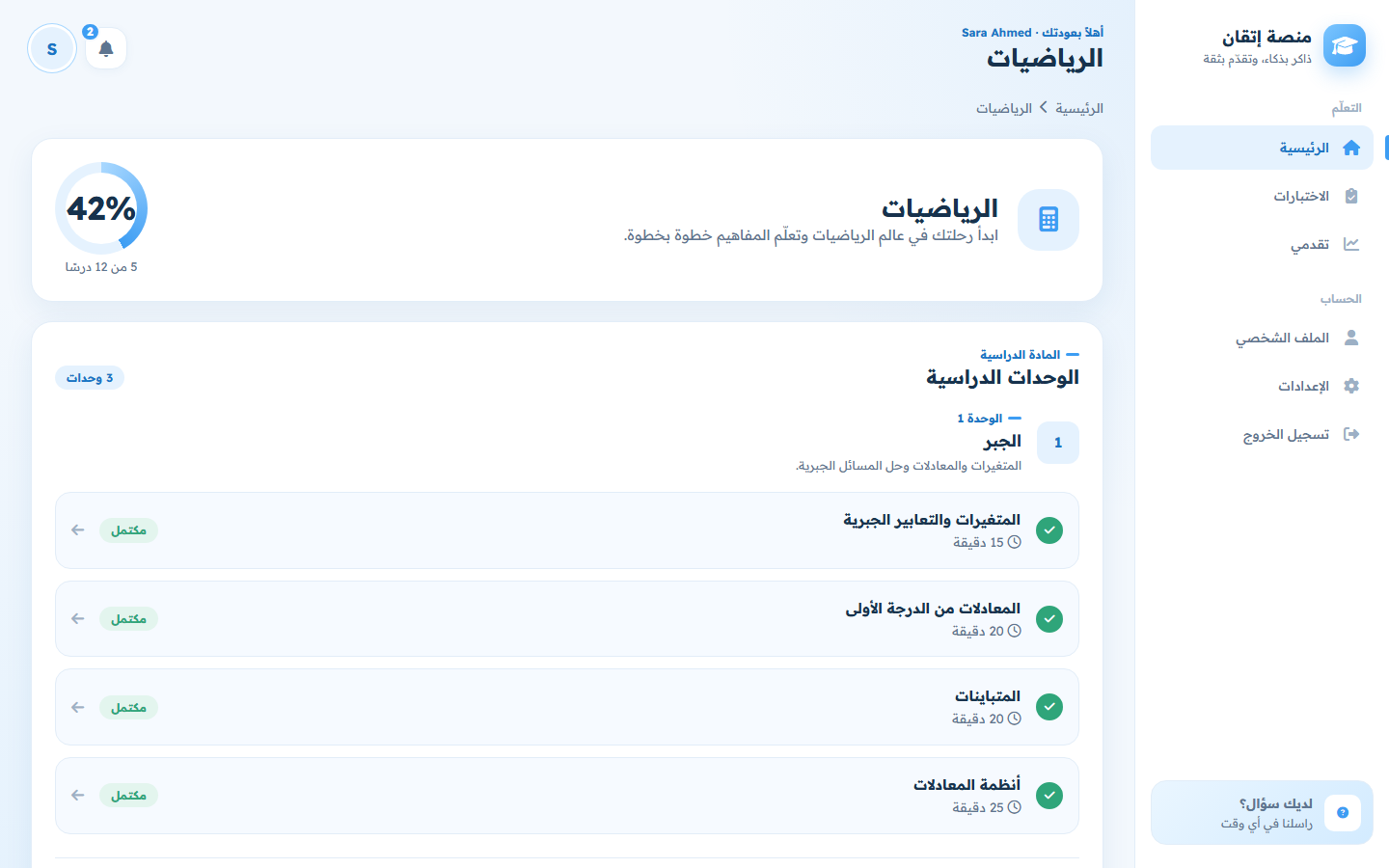
- 4 subjects → 12 units → 48 lessons; mark lessons complete and move to the next one
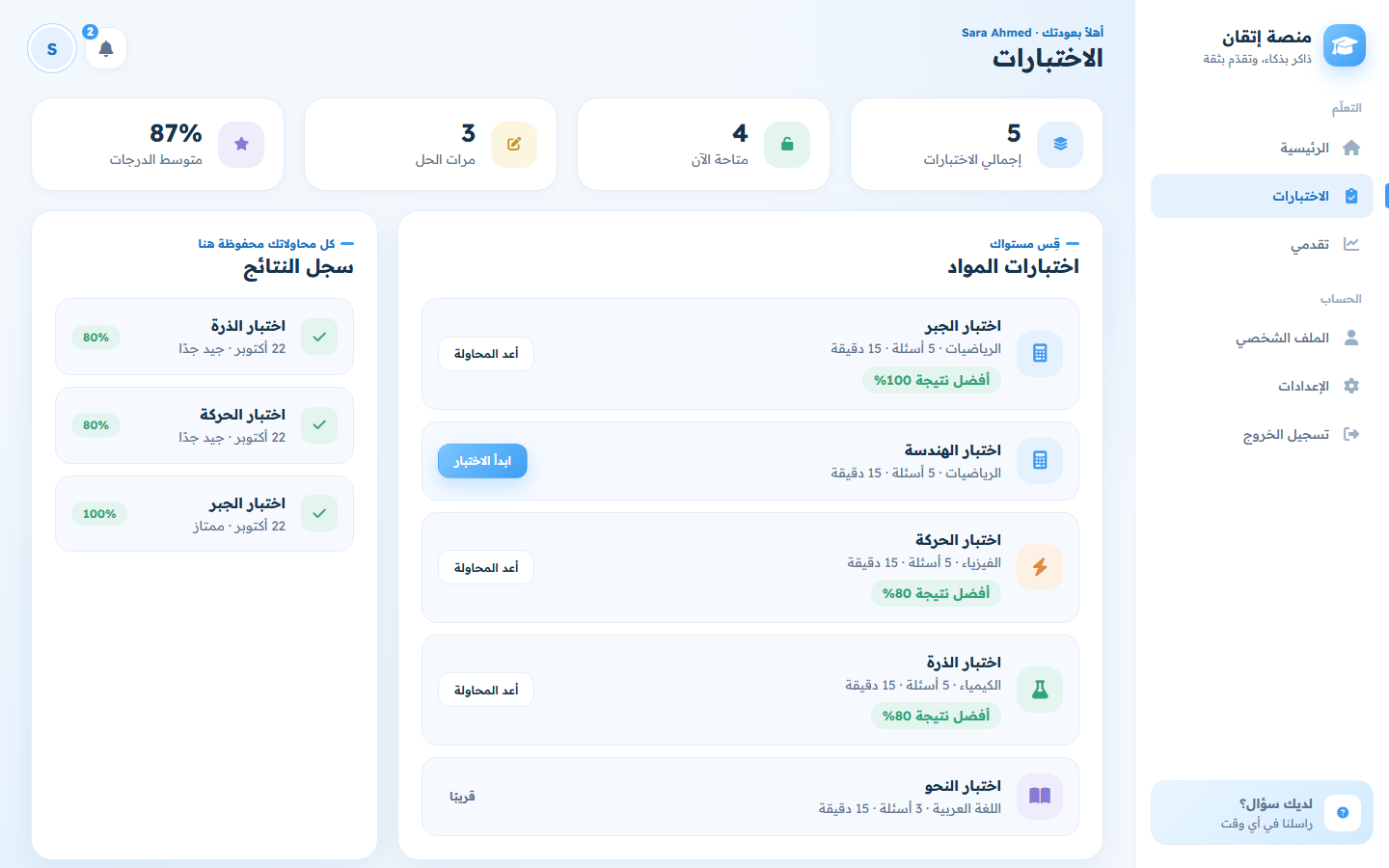
- Timed multiple-choice exams with a progress bar and auto-submit when time runs out
- Answers are graded on the server — the correct option is never sent to the browser before submission
- Result screen with score and a per-question review of right and wrong answers
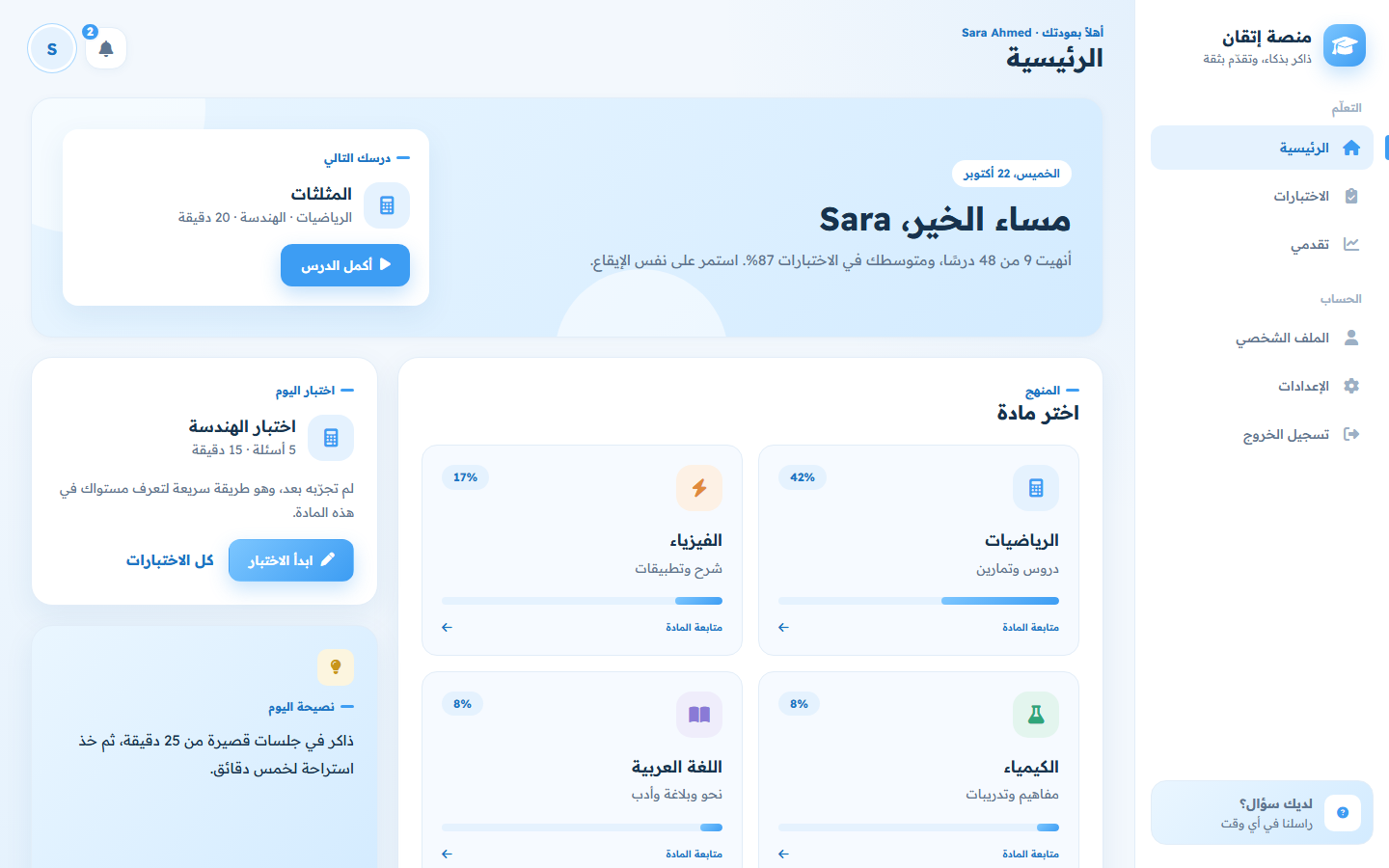
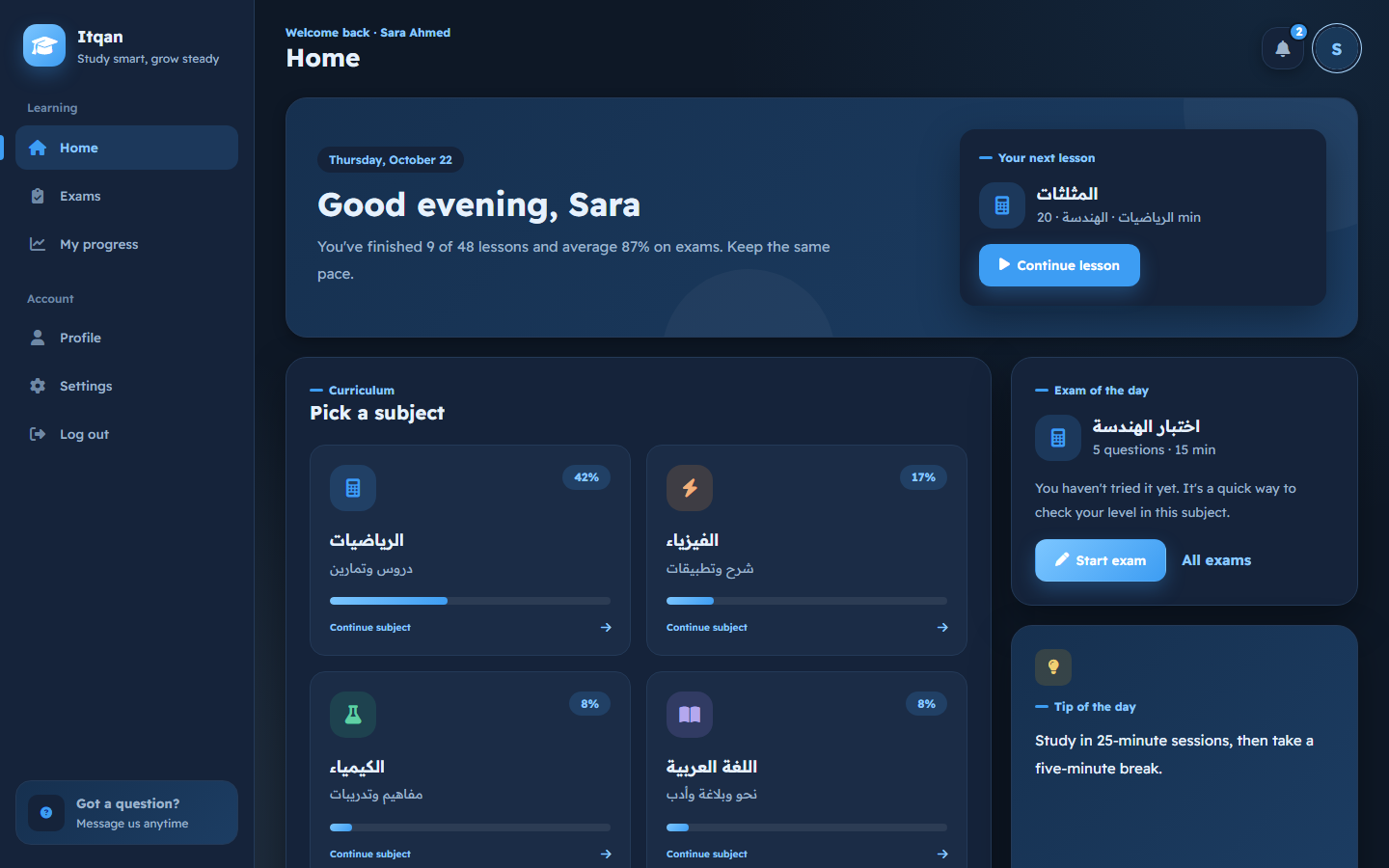
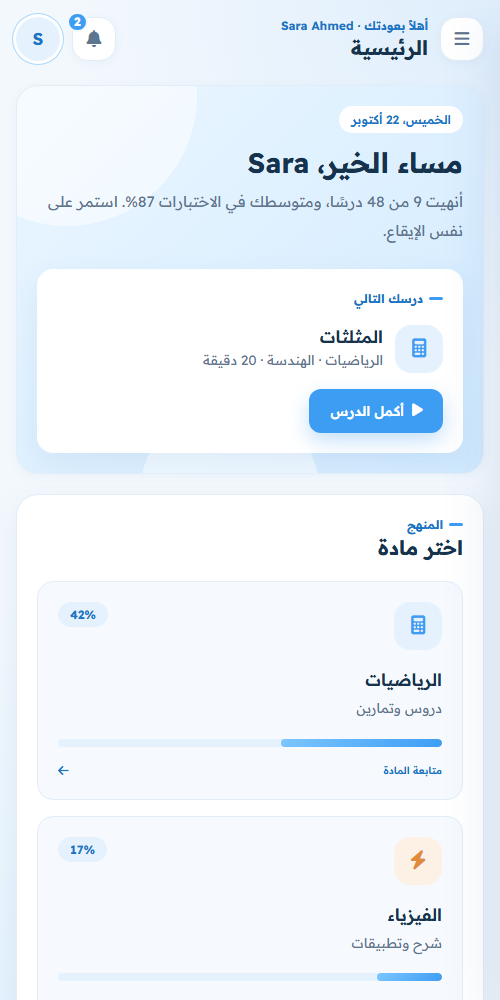
- Home built around “what’s next”: the next unfinished lesson, the subjects, an exam of the day (untried first, then the weakest score) and a daily study tip
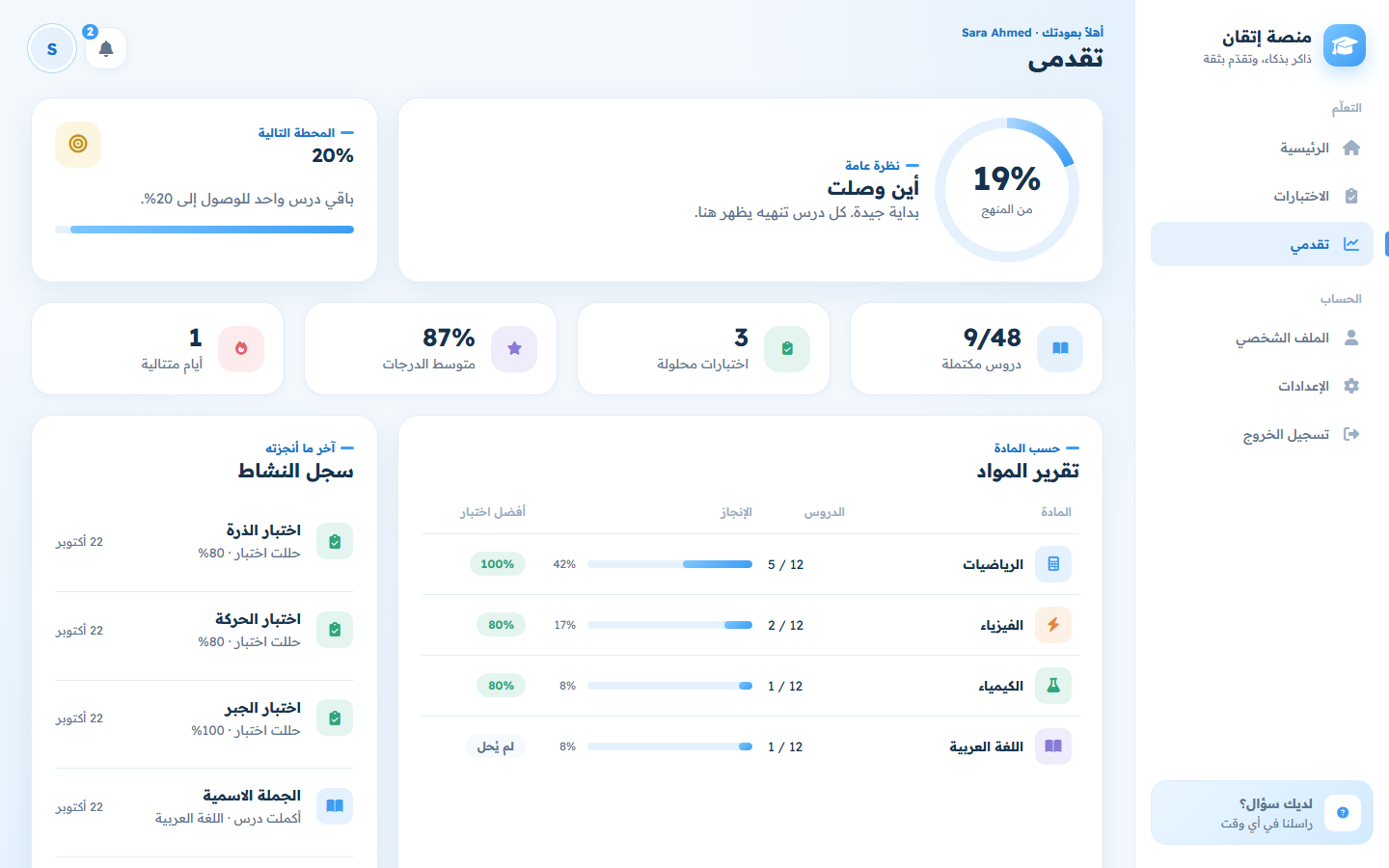
- Progress page: overall percentage, next milestone, key numbers, a subject report (lessons, completion, best exam score) and the activity log
- Profile editing and password change
- Notifications built from the student’s real data, an FAQ in the sidebar and a terms-of-use dialog on sign-up
Interface
- Arabic (RTL) and English (LTR), switched instantly and saved to the account
- Calm baby-blue and white design with a soft pastel colour per subject
- Each page has one job: Home is what to study now (next lesson, subjects, exam of the day, a daily study tip), Progress holds the numbers (subject report with best exam score per subject, milestones, activity log), Profile is account details only
- Light and dark themes
- Responsive layout: sidebar on desktop, slide-in drawer on phones
- One shared design system (
css/app.css) used by every page
Screenshots
| Dashboard — dark mode, English | Login |
|---|---|
 |
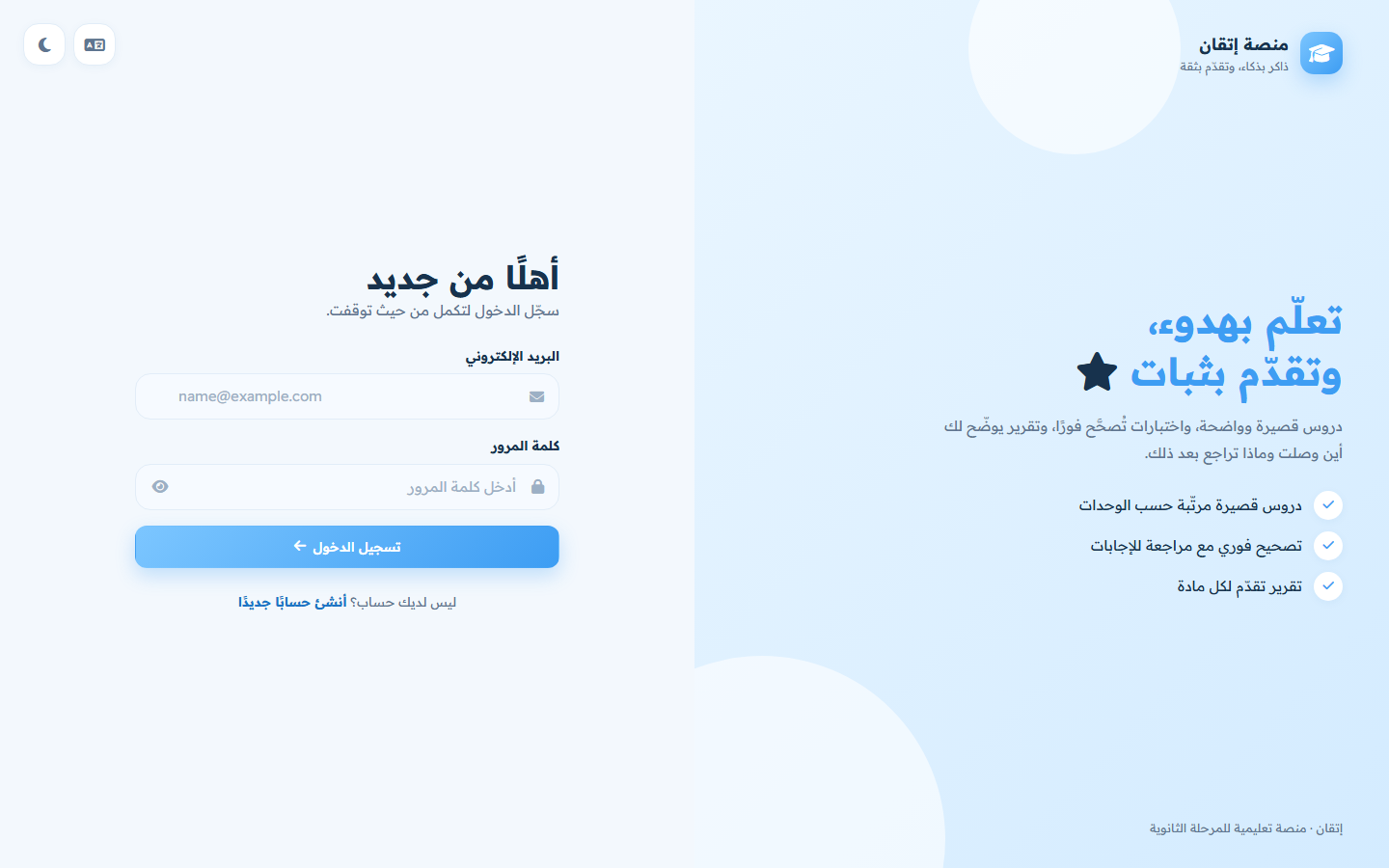 |
| Course | Exams |
|---|---|
 |
 |
| Progress | Mobile |
|---|---|
 |
 |
Tech stack
| Layer | Technology |
|---|---|
| API | ASP.NET Core 10, controllers, minimal hosting |
| Auth | JWT bearer tokens, ASP.NET Identity PasswordHasher |
| Data | Entity Framework Core 10, SQLite, code-first migrations, seed data |
| Docs | Swagger / OpenAPI with an Authorize button for testing |
| Front end | HTML5, CSS3 (custom properties, grid, container queries), vanilla JavaScript (ES2020) |
| i18n | Custom dictionary with Arabic plural rules and RTL/LTR switching |
Run it locally
Requirements: .NET 10 SDK.
git clone https://github.com/amanykhaled4/itqan-learning-platform.git
cd itqan-learning-platform
dotnet run --project backend
Open http://localhost:5111 — the API serves the front end too, so that one command runs the whole platform. The SQLite database is created and filled with subjects, lessons and exams on first run.
Demo account — press Try the demo account on the login page, or log in with:
| Password | |
|---|---|
demo@itqan.app |
demo1234 |
It already has finished lessons and exam results, so every page has something to show. You can also create your own account from the register page.
API documentation: http://localhost:5111/swagger
Tests
dotnet test Itqan.slnx
17 tests in tests/ItqanApi.Tests. Most are integration tests that start the real API in memory against a throwaway SQLite database (WebApplicationFactory) and check:
- registration, login, duplicate emails, validation, and that a wrong password and an unknown email get the same answer
- every protected endpoint rejects requests without a token
- exam questions never reveal the correct option, grading happens on the server, and the best score is tracked
- unavailable exams can’t be submitted, and students only see their own results
- completing a lesson twice counts once, and un-completing it updates progress
- day-streak rules (unit tests)
The same tests run on every push with GitHub Actions (.github/workflows/ci.yml).
Prefer VS Code Live Server for the front end? Open
frontend/on port 5500; it will call the API on port 5111 automatically (CORS is already allowed in development).
Project structure
backend/
  Controllers/    Auth, Me (profile & settings), Subjects & lessons, Exams, Progress
  Data/           AppDbContext and seed content
  Dtos/           Request / response records with validation attributes
  Models/         Student, Subject, Unit, Lesson, Exam, Question, Option, attempts
  Services/       TokenService (JWT), ProgressService (stats & streaks)
  Migrations/     EF Core migrations
frontend/
  *.html          One page per screen
  css/app.css     Shared design system (tokens, components, dark mode, RTL)
  js/api.js       Fetch wrapper: token handling, errors, expired sessions
  js/i18n.js      Arabic / English dictionary
  js/app.js       Layout, sidebar, notifications, toasts, dialogs
  js/pages/       Page-specific scripts
tests/
  ItqanApi.Tests/ xUnit integration and unit tests
API overview
| Method | Endpoint | Description |
|---|---|---|
| POST | /api/auth/register |
Create an account, returns a token |
| POST | /api/auth/login |
Log in, returns a token |
| GET / PUT | /api/me |
Read or update the profile |
| PUT | /api/me/settings |
Language, theme, notification preferences |
| PUT | /api/me/password |
Change password |
| GET | /api/subjects |
Subjects with the student’s progress |
| GET | /api/subjects/{slug} |
Units and lessons of a subject |
| GET | /api/lessons/{id} |
Lesson content with previous / next links |
| POST / DELETE | /api/lessons/{id}/complete |
Mark or unmark a lesson as complete |
| GET | /api/exams |
Exams with best score and attempt count |
| GET | /api/exams/{id} |
Questions and options (without answers) |
| POST | /api/exams/{id}/submit |
Grade answers and return the review |
| GET | /api/exams/attempts |
Past results |
| GET | /api/progress |
Overall stats, per-subject progress, recent activity |
All endpoints except register and login need an Authorization: Bearer <token> header.
Configuration
backend/appsettings.Development.json contains a development-only JWT key. Outside development the placeholder key is never used: without Jwt__Key the API generates a random key at startup (secure, but everyone is logged out when the server restarts). To keep logins across restarts, set your own secret:
Jwt__Key="a-long-random-secret"
Deploy
The repo includes a Dockerfile (API + front end in one container) and a Render Blueprint (render.yaml) that generates the JWT secret automatically:

On the free plan the SQLite database lives inside the container, so it starts fresh (with the demo account) after each restart.
Notes
- Course content (lessons and exams) is written in Arabic; the interface itself is fully translated.
بالعربي
إتقان منصة تعليمية لطلاب المرحلة الثانوية: دروس مقسّمة إلى مواد ووحدات، واختبارات بوقت محدد تُصحَّح على السيرفر، ولوحة تحكم تتابع تقدّم الطالب. الواجهة تدعم العربية والإنجليزية والوضع الليلي وتعمل على الموبايل.
للتشغيل: ثبّت .NET 10 SDK ثم نفّذ dotnet run --project backend وافتح http://localhost:5111، واضغط «جرّب الحساب التجريبي» للدخول مباشرة.